
Pause time helper: follow the checklist below to freeze your Piso WiFi minutes at http://10.0.0.1. Tick each box — the next step unlocks automatically.
Key Takeaways
- Pause time helper: follow the checklist below to freeze your Piso WiFi minutes at http://10.0.0.1 .
- Tick each box — the next step unlocks automatically.
- This tool page lives under /tools/pause-time-helper/ .
- For the full deep guide (Chrome, Android, iPhone, missing button, owner settings), open Piso WiFi pause time .
This tool page lives under /tools/pause-time-helper/. For the full deep guide (Chrome, Android, iPhone, missing button, owner settings), open Piso WiFi pause time.
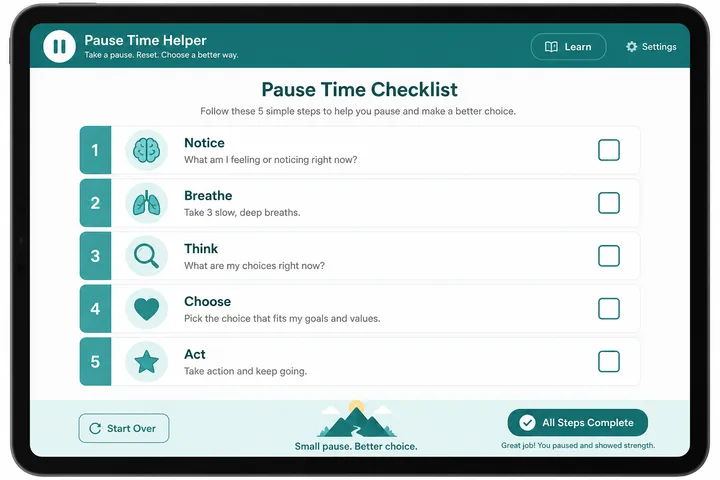
Run the Pause Checklist
Interactive checklist: tick each step in order. The next step unlocks when the previous box is checked.
Start with Step 1. Unchecking a box locks later steps again.
On this page: Checklist tool · Why these steps · Static steps (SEO) · Pause vs logout · FAQ
Why Each Checklist Step Matters
| Step | If you skip it |
|---|---|
| Connected to Piso WiFi | Portal never loads — you are on cellular or another SSID |
| Mobile data off | Phone bypasses captive portal; 10.0.0.1 times out |
| Open http://10.0.0.1 | Google search or https SSL errors block the local page |
| Active session | Pause button hidden until coins/voucher start the timer |
| Tap Pause | Minutes keep counting while you walk away |
How to Pause Piso WiFi Time (Static Steps)
Even without the interactive boxes, the path is the same every time:
- Connect to the Piso / vendo WiFi.
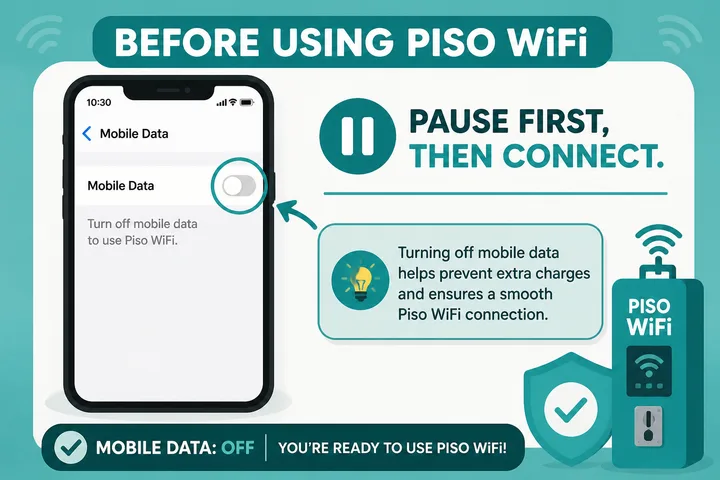
- Turn mobile data OFF.
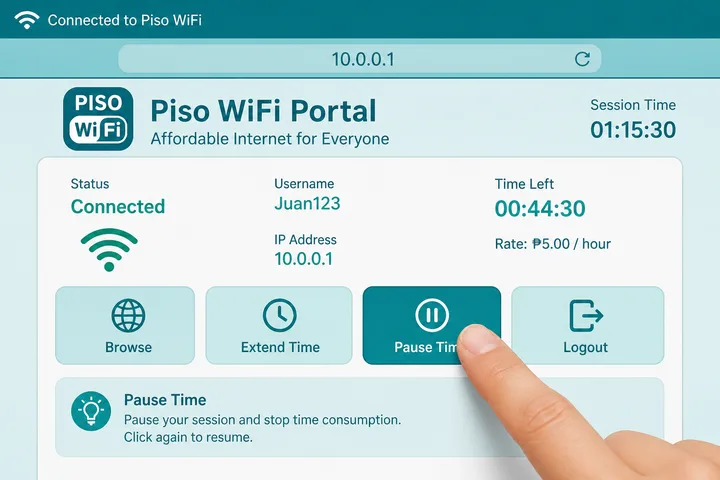
- Open
http://10.0.0.1in the browser address bar. - Confirm you have an active paid session (timer visible).
- Tap Pause Time / Pause.
- Later, open the portal again on the same device and tap Resume.
Deep walkthrough with device-specific tips: /piso-wifi-pause-time/.
Pause vs Logout (Quick)
If the portal will not open at all, the session cannot be paused from this checklist — see captive portal first. When the goal is to release the slot rather than hold it, read Piso WiFi logout. The remaining calculators are listed in the free tools hub.
Need to end the session instead of saving minutes? That is logout — see Piso WiFi logout. Pause keeps remaining time; logout usually does not transfer it to another phone.
Why Paused Sessions Stay Tied to One Device
Piso controllers commonly bind the paid session to the device’s WiFi MAC address. That identifier lets the portal recognize the phone or laptop that bought and paused the time. Signing in with the same name on another phone does not transfer the session because the controller sees a different device.
| Change after pausing | Likely result |
|---|---|
| Resume on the same device and same saved WiFi profile | Best chance of matching the paused session |
| Switch from randomized MAC to device MAC, or the reverse | Portal may treat the phone as a new device |
| Forget the network and reconnect with a newly generated private address | Saved session may not appear |
| Try another phone or laptop | Time normally does not transfer automatically |
Before pausing, keep the WiFi privacy/MAC setting stable for that SSID. If the portal no longer recognizes the device, reconnect to the exact network and restore the prior MAC mode if you intentionally changed it. The operator may be able to inspect or release a session, but this depends on the platform.
Auto-expiry Windows and When Resume Will Not Work
Pause does not always preserve time forever. Owners or firmware may impose a maximum paused period, session validity date, idle cleanup window or voucher expiry. The visible remaining minutes can therefore be removed after the controller’s retention window even though the user tapped Pause correctly.
- The owner disabled Pause: the helper cannot add a missing server-side feature.
- The session already expired: zero remaining time cannot be resumed.
- The paused-record window elapsed: the controller may automatically clear old sessions.
- The device identity changed: a new MAC address will not match the stored session.
- You joined a different vendo: paused time belongs to the original controller, not every network named Piso WiFi.
- The machine rebooted or was reset: some configurations do not retain active session records.
The helper is diagnostic guidance, not a remote connection to the vendo. When all checklist items pass but Resume is absent, capture the remaining-time screen or voucher receipt and ask the operator to check the session log. Do not insert more money until the owner confirms whether the previous session can be restored.
Sources, Scope, and Corrections
Claim basis: Calculations and browser-detected values are explanatory outputs, not device certification. Confirm addresses, rates, and session behavior on your own device or portal. See our Editorial Policy for claim labels and source priorities.
Found a mismatch? Send the page URL and privacy-safe evidence using the correction process. This block does not claim a hands-on test or a fact-review date.
Related Guides
- Piso WiFi pause time — Pause and resume a paid session without losing minutes
- Piso WiFi guide — Understand the portal, sessions, rates and owner side
- Piso WiFi pause time app — Learn whether an app is required and what to use
- Free tools hub — Choose a gateway checker, session helper or rate calculator
FAQ — Pause Time Helper
What Does This Pause Time Helper Do?
It walks you through the five checks needed before Pause Time works: WiFi connected, mobile data off, portal open at 10.0.0.1, active paid session, then tap Pause.
Why Is Pause Missing on the Portal?
Usually there is no active paid session yet, pause is disabled by the owner, or you are on the wrong gateway. Insert coins/voucher first, or read the full pause guide.
Can I Pause on a Different Phone Later?
No — resume on the same device that paused. Sessions are typically MAC-bound.
Is Logout the Same as Pause?
No. Logout ends the session; pause freezes remaining minutes. Use /piso-wifi-logout/ only when you are done.
Related: Full pause guide · Gateway checker · Piso WiFi · 10.0.0.1