
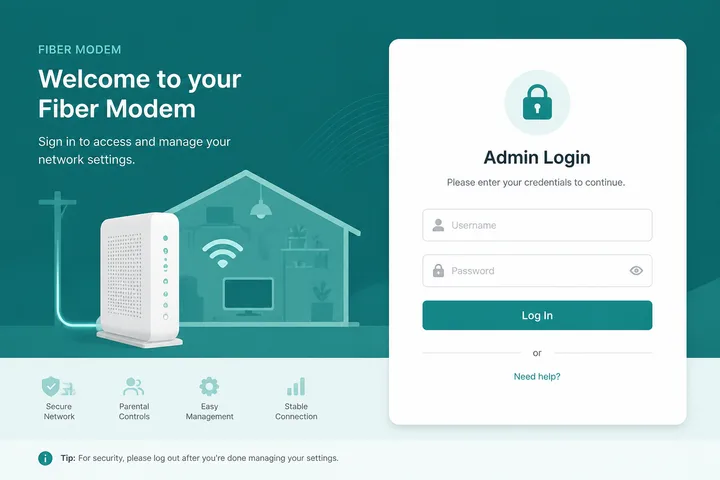
Converge ICT Fiber admin: connect to your Converge WiFi, then open http://192.168.1.1 and log in with the username/password on the modem sticker. Use this panel to change SSID, WiFi password, and basic LAN settings — not a Piso 10.0.0.1 coin portal.
Key Takeaways
- Converge ICT Fiber admin: connect to your Converge WiFi, then open http://192.168.1.1 and log in with the username/password on the modem sticker.
- Use this panel to change SSID, WiFi password, and basic LAN settings — not a Piso 10.0.0.1 coin portal.
- Steps below cover login, sticker defaults, WiFi changes, and troubleshooting when the Converge modem page will not load.
- If the page is blank, confirm the real LAN gateway with the gateway checker or phone WiFi details → Gateway.
Steps below cover login, sticker defaults, WiFi changes, and troubleshooting when the Converge modem page will not load.
On this page: Login steps · Defaults / sticker · Change WiFi settings · Troubleshooting · vs other gateways · FAQ
How to Open Converge Fiber Modem Admin
- Connect to your Converge home WiFi (or Ethernet to the modem/router).
- Turn mobile data OFF.
- In the browser address bar, type
http://192.168.1.1. - Enter the admin username and password from the device sticker.
- After login, open Wireless / WiFi / Network menus to manage the SSID.
If the page is blank, confirm the real LAN gateway with the gateway checker or phone WiFi details → Gateway. Related: 192.168.1.1.
Sticker Credentials and Common Defaults
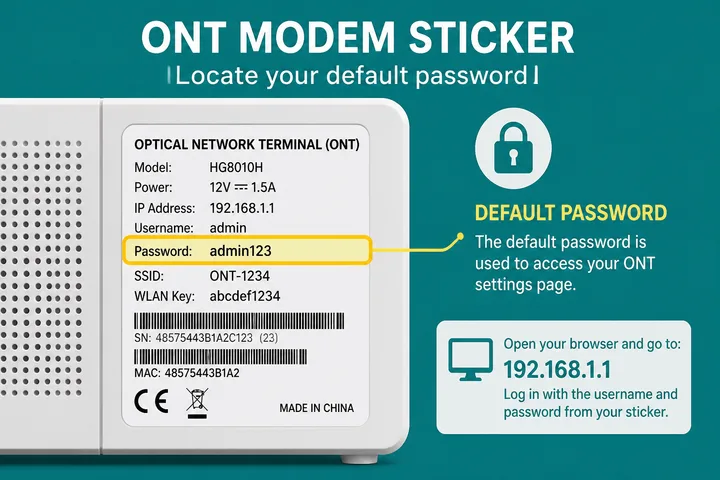
Converge installs several ONT/router brands. Always prefer the printed sticker over internet “default password” lists.
| Field | Where to look | Common values |
|---|---|---|
| Admin username | Modem sticker / label | admin (most common) |
| Admin password | Sticker “Password” / “Admin” | Printed unique, or admin / 1234 |
| WiFi SSID | Sticker “SSID” / “Wireless” | Converge_XXXX or custom |
| WiFi password | Sticker “WiFi Key” / “Key” | Printed WPA key |
- Admin password unlocks settings; WiFi password only joins the network.
- If login fails, Caps Lock off, try exact sticker spelling, then ask who last configured the modem.
- Never share admin credentials with random techs without watching the session.
Change Converge WiFi Name and Password
- Log in at
http://192.168.1.1(or confirmed gateway). - Open Wireless / WiFi / WLAN.
- Update SSID (2.4 GHz and 5 GHz if separate).
- Set a new WPA2/WPA3 password (8+ characters).
- Save/Apply, wait for reboot of the radio, reconnect devices.
Guest WiFi, if offered, is separate — changing the main SSID does not always update guest credentials.
Converge Admin Troubleshooting
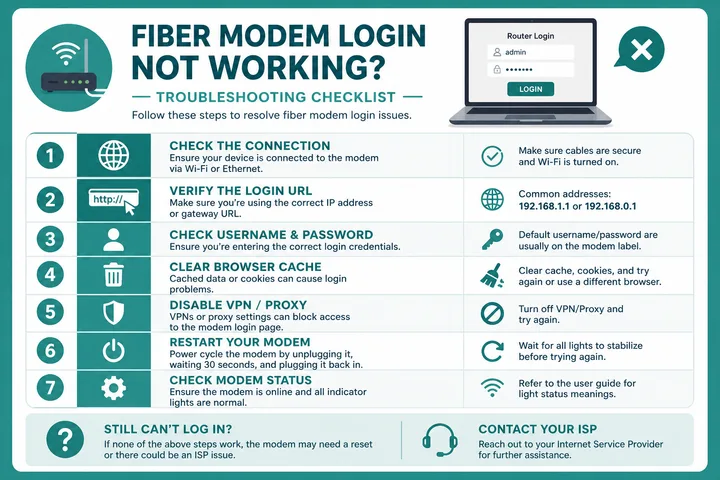
| Problem | Likely cause | Fix |
|---|---|---|
| Page spins forever | Mobile data / wrong WiFi | Data off; reconnect to Converge SSID |
| Not found / refused | Wrong gateway IP | Gateway checker or WiFi details |
| Wrong password | Changed earlier / typo | Sticker → prior change → reset last |
| HTTPS warning | Self-signed cert | Use http:// on local LAN |
| Opens Piso portal | On a vendo hotspot | Switch to home Converge WiFi |
| After power outage | Modem still booting | Wait 2–3 minutes, retry |
Converge vs 192.168.1.1 vs 10.0.0.1
Converge home Fiber almost always uses a 192.168.1.1-class gateway. 10.0.0.1 is the familiar Piso WiFi portal — different device, different network. If you see Insert Money / voucher, you are not in Converge admin.
Gateway deep-dive: 192.168.1.1 · tool: gateway checker.
Gateway and Sticker Disambiguation for Converge
When the unit is branded by its manufacturer rather than the ISP, continue in Huawei router login or TP-Link router login. For the gateway family used by several of these ONT units, see 192.168.18.1, and what is an IP address covers why the address is local only.
Converge connections use equipment from different manufacturers and model families, so there is no single safe credential pair or management address for every subscriber. Start with the label on the installed ONT/router and the default gateway reported by a connected device. Installer changes, bridged mode and an added personal router can all make a generic default incorrect.
- An ONT label may include optical and device identifiers that should not be posted publicly.
- WiFi SSID/key credentials and web-admin credentials can be separate.
- If a personal router sits behind the Converge ONT, the personal router may be the gateway you can manage.
- Avoid factory reset unless authorized and prepared with the ISP-specific configuration or support guidance.
Independent-site disclaimer: 10001IP is not affiliated with, endorsed by, or an official support channel for Converge ICT Solutions.
Sources, Scope, and Corrections
Claim basis: Login addresses and menu paths are common defaults, not universal settings. Confirm them on the device label, portal, official documentation, or provider support because firmware and owner configuration can differ. See our Editorial Policy for claim labels and source priorities.
Independence: 10001ip.co is not affiliated with, sponsored by, or an official support channel for the brand, ISP, or platform discussed on this page.
Found a mismatch? Send the page URL and privacy-safe evidence using the correction process. This block does not claim a hands-on test or a fact-review date.
Related Guides
- Router IP address list — Compare common and uncommon private gateways
- Default gateway guide — Find the router address used by your device
- Gateway checker — Find the correct local router or portal address
- 192.168.18.1 login — Access selected ISP and Huawei gateways
FAQ — Converge Ict Fiber Admin
What Is the Converge Ict Fiber Admin IP?
Most Converge Fiber modem/router combos use http://192.168.1.1 (same 192.168.1.x class as many PH ISPs). Confirm with the sticker or WiFi gateway details if that address fails.
What Is the Default Converge Admin Password?
Check the modem sticker first. Common patterns are admin / admin, admin / 1234, or a unique printed password. Defaults vary by ONT/router brand Converge installed.
How Do I Log in to the Converge Router?
Connect to the Converge WiFi, turn mobile data off, open http://192.168.1.1 in the browser address bar, then enter sticker username and password.
Converge Admin Will Not Open — What Now?
Confirm the correct SSID, disable mobile data, try http not https, clear cache/incognito, try the gateway checker, power-cycle the modem. Factory reset only if locked out and you accept re-setup.
Is Converge Admin the Same as 10.0.0.1?
No. 10.0.0.1 is typical for Piso WiFi portals. Converge home Fiber admin is almost always a 192.168.1.1-class gateway.
Related: Gateway checker · 192.168.1.1 · 10.0.0.1 (Piso, not Converge home)