
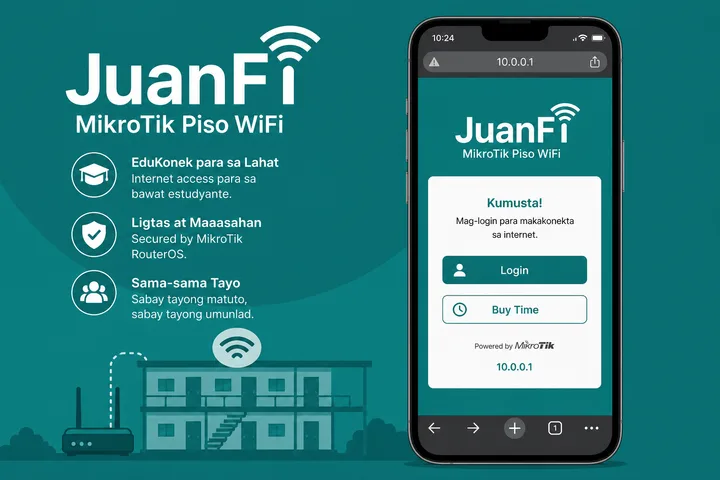
JuanFi is a MikroTik-based Piso WiFi / hotspot stack. Customers open http://10.0.0.1 to pay, check status, or pause. Owner admin is often admin / admin (change after install).
Key Takeaways
- JuanFi is a MikroTik-based Piso WiFi / hotspot stack.
- Customers open http://10.0.0.1 to pay, check status, or pause.
- Owner admin is often admin / admin (change after install).
- This page covers JuanFi login, status, admin defaults, pause, and how it compares to LPB, AdoPisoft, and PisoFi.
This page covers JuanFi login, status, admin defaults, pause, and how it compares to LPB, AdoPisoft, and PisoFi.
Quick path: Connect → mobile data OFF → http://10.0.0.1 → pay / status / Pause → owners: admin / admin (if unchanged).
On this page: What is JuanFi · Login / portal · Status · Admin password · Pause time · vs LPB / Ado / PisoFi · FAQ
What Is JuanFi?
JuanFi is an open-leaning Piso WiFi approach built around MikroTik hotspot features plus a coin/controller interface (commonly NodeMCU-class hardware). Searchers also type juanfi piso wifi, juan fi, and juanfi 10.0.0.1.
End users still see a browser portal. Owners manage rates and hotspot users through MikroTik / JuanFi admin tooling rather than a pure “LPB-style” panel alone.
- Category: Piso WiFi
- Stack: MikroTik hotspot + coin interface
- Typical portal IP:
10.0.0.1 - Owner machine overview: Piso WiFi machine
JuanFi Login Portal at 10.0.0.1
Customer access is the local captive portal. Type http://10.0.0.1 while on the JuanFi SSID.
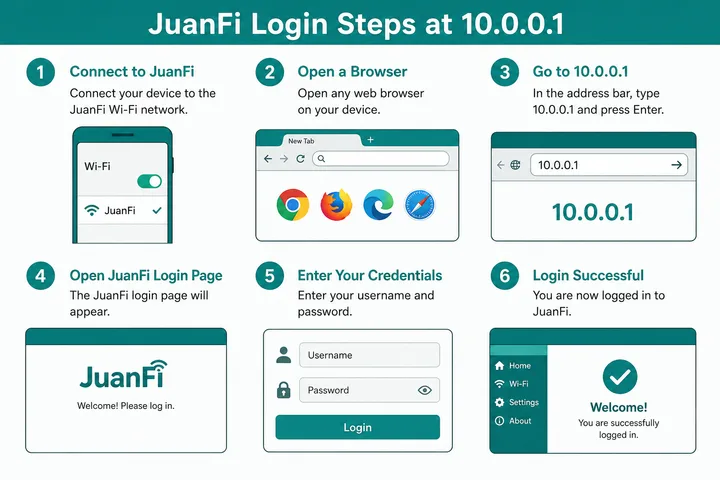
- Join the JuanFi / Piso WiFi network.
- Disable mobile data / auto switch.
- Open
http://10.0.0.1(http, address bar — not Google search). - Insert coins or enter a voucher code.
- If the page fails, confirm gateway with the gateway checker.
| URL | Purpose |
|---|---|
http://10.0.0.1 | Main captive portal / login |
| Status path (build-dependent) | Remaining time / online devices |
| Admin (MikroTik / JuanFi) | Owner rates, users, hotspot |
General gateway help: 10.0.0.1 guide.
JuanFi Session Status
After you have paid time, many JuanFi / MikroTik builds expose a status view from the portal or a status URL on the same gateway. Use it to confirm remaining minutes before you walk away.
- Open the portal again on the same device.
- Look for Status / Remaining Time / User info.
- If randomized MAC is on, status and resume can break — use a fixed MAC for that SSID.
JuanFi Default Admin (Often Admin/admin)
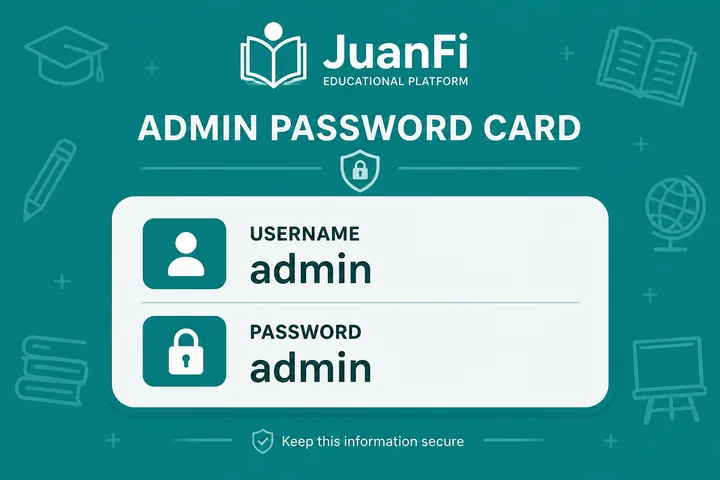
A widely reported JuanFi / MikroTik default pair is:
| Field | Common default |
|---|---|
| Username | admin |
| Password | admin |
| Note | Varies by image — check sticker / installer |
- Admin is for owners — not customers buying minutes.
- Admin password ≠ WiFi SSID password.
- Change defaults; open MikroTik boxes get hijacked.
- Reset overview: 10.0.0.1 password reset.
JuanFi Pause Time
juanfi pause: with an active session, open http://10.0.0.1 → tap Pause Time → later Resume on the same device.
- Confirm paid minutes are running.
- Open the JuanFi portal.
- Tap Pause Time.
- Resume on the same phone/laptop.
Missing Pause usually means the owner disabled it in hotspot/session options. Deep guide: Piso WiFi pause time.
JuanFi vs LPB vs AdoPisoft vs PisoFi
| JuanFi | LPB | AdoPisoft | PisoFi | |
|---|---|---|---|---|
| Core | MikroTik-based | Portal brand | Portal brand | Portal brand |
| User portal | Often 10.0.0.1 | 10.0.0.1 | 10.0.0.1 | 10.0.0.1 / portal.pisofi.com |
| Common admin | admin / admin | admin / 123456789 | admin/admin or administrator/admin1234 | administrator / admin12345 |
| Guide | This page | LPB | AdoPisoft | PisoFi |
Pick by hardware you already own (MikroTik → JuanFi) vs turnkey controller brands. Owner buying guide: Piso WiFi machine.
JuanFi-specific Hardware Relationship
Controller choice changes day-to-day operation more than branding does. Compare PisoFi, AdoPisoft, and LBS Piso WiFi on admin structure before committing hardware. Cost, pricing, and risk planning belong to Piso WiFi business, with calculators in the free tools hub.
JuanFi is commonly associated with a MikroTik-controlled hotspot plus a coin-input microcontroller such as a NodeMCU-class board. The MikroTik can enforce hotspot users, queues and session policy, while the coin device reports payment events; exact boards, scripts and integrations vary by build. This split matters during troubleshooting because a working coin pulse does not prove the router uplink is working, and a working router does not prove the coin controller credited time.
| Layer | JuanFi-related role | Useful diagnostic boundary |
|---|---|---|
| Coin interface / microcontroller | Detects configured payment input and signals the system | Coin accepted versus credit recorded |
| MikroTik hotspot/router | Client admission, session/account rules, traffic policy and routing | Portal/session works versus outside internet works |
| Access point and ISP uplink | Radio coverage and upstream service | Strong WiFi signal versus actual internet capacity |
Owners should follow the specific JuanFi package and MikroTik configuration supplied for their build. Do not import unknown scripts or generic backups into a production router. The full user pause workflow remains in the Pause Time guide.
Sources, Scope, and Corrections
Claim basis: Login addresses and menu paths are common defaults, not universal settings. Confirm them on the device label, portal, official documentation, or provider support because firmware and owner configuration can differ. See our Editorial Policy for claim labels and source priorities.
Independence: 10001ip.co is not affiliated with, sponsored by, or an official support channel for the brand, ISP, or platform discussed on this page.
Found a mismatch? Send the page URL and privacy-safe evidence using the correction process. This block does not claim a hands-on test or a fact-review date.
Related Guides
- Piso WiFi guide — Understand the portal, sessions, rates and owner side
- Piso WiFi pause time — Pause and resume a paid session without losing minutes
- Piso WiFi machine — Compare hardware, startup cost and owner requirements
- Piso WiFi rate calculator — Model timer rates, sales and potential income
JuanFi FAQ
What Is JuanFi?
JuanFi is a MikroTik-based Piso WiFi / hotspot stack used in the Philippines (often MikroTik router + NodeMCU coin interface). Users usually open http://10.0.0.1 for the captive portal.
What Is the JuanFi Admin Password?
A common default is username admin and password admin. Always check the device sticker — owners should change this after setup.
How Do I Log in to the JuanFi Portal?
Connect to the JuanFi / Piso WiFi SSID, turn mobile data off, open http://10.0.0.1 in the browser address bar, then insert coins or redeem a voucher. Status pages appear on many builds after you have time.
Can I Pause JuanFi Time?
Yes if the owner enabled Pause. Open http://10.0.0.1 on an active session and tap Pause Time, then Resume on the same device. Guide: /piso-wifi-pause-time/
How Is JuanFi Different from LPB or AdoPisoft?
JuanFi is typically MikroTik-centered; LPB and AdoPisoft are other portal platforms. Customer flow is similar (10.0.0.1), but admin UI and defaults differ — JuanFi often admin/admin.