
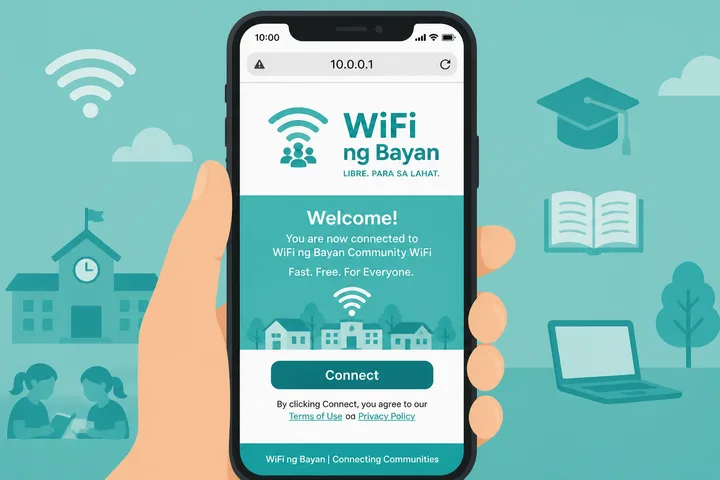
WiFi ng Bayan (WB) is public/community WiFi common in Philippine barangays and shared spots. Many setups still use a local captive portal at http://10.0.0.1 for login, coins/vouchers, and Pause Time.
Key Takeaways
- WiFi ng Bayan ( WB ) is public/community WiFi common in Philippine barangays and shared spots.
- Many setups still use a local captive portal at http://10.0.0.1 for login, coins/vouchers, and Pause Time.
- This page covers WB / WiFi ng Bayan login, pause, portal basics, and a short Taglish FAQ — with links when the portal fails or pause needs deeper steps.
- Quick path: Connect to WB / WiFi ng Bayan → mobile data OFF → http://10.0.0.1 → login / bayad / Pause.
This page covers WB / WiFi ng Bayan login, pause, portal basics, and a short Taglish FAQ — with links when the portal fails or pause needs deeper steps.
Quick path: Connect to WB / WiFi ng Bayan → mobile data OFF → http://10.0.0.1 → login / bayad / Pause.
On this page: What it is · Login / portal · Pause time · Taglish FAQ · Name variants · FAQ
What Is WiFi Ng Bayan / WB?
WiFi ng Bayan (often shortened to WB) is community or public WiFi branding — barangay WiFi, plaza hotspots, and shared neighborhood access. It sits next to commercial Piso WiFi vendos: same idea of a local portal, sometimes free tiers, sometimes coin/voucher paid time.
Under the hood the controller may be LPB, AdoPisoft, or custom firmware. Your job as a user is still: join SSID → open portal → follow on-screen steps.
- Names: WiFi ng Bayan, WB, wifi ng bayan 10.0.0.1
- Typical portal:
http://10.0.0.1 - Actions: login / insert money / voucher / pause / status
WiFi Ng Bayan Login at 10.0.0.1
“Login” here means opening the captive portal — not a Facebook account (unless that hotspot uniquely asks for one).
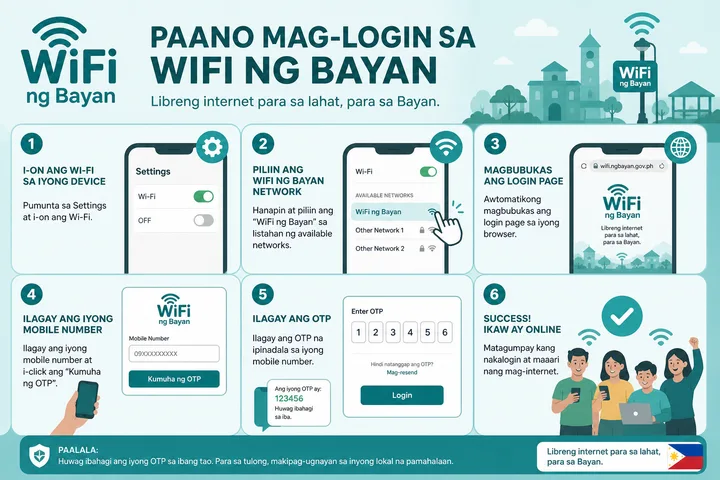
- Connect to the WiFi ng Bayan / WB SSID.
- Turn mobile data OFF.
- Browser → type
http://10.0.0.1in the address bar. - Follow the portal: free continue, Insert Money, or voucher — whatever the operator set.
- If nothing loads, try the gateway checker or not working fixes.
| Action | Where |
|---|---|
| Open portal | http://10.0.0.1 |
| Pay / voucher | Portal home / buy screen |
| Pause / Resume | Same portal, active session |
| Status | /status on many builds |
Pause Time on WiFi Ng Bayan
If your WB hotspot sells timed sessions, pause works like other Piso portals:
- Active remaining time on this device.
- Open
http://10.0.0.1. - Tap Pause Time.
- Return → Resume on the same phone/laptop.
Walang Pause button? Hindi naka-enable ng operator — o free/unlimited mode. Full troubleshooting: pause time guide.
Short Taglish Welcome FAQ
Paano Mag-connect?
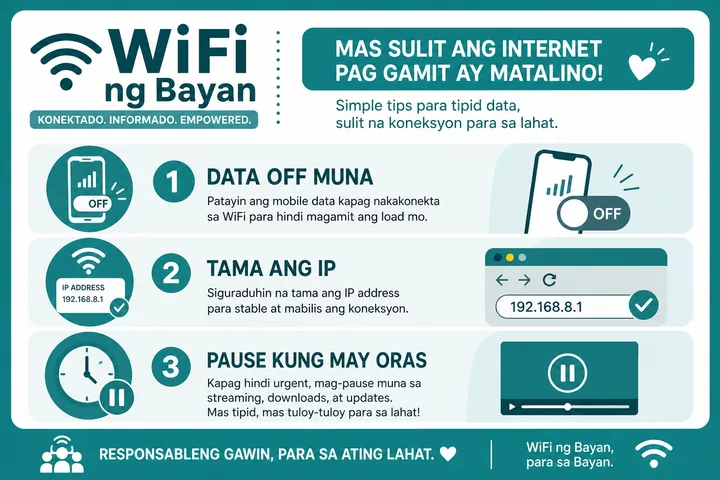
Hanapin ang SSID na WiFi ng Bayan o WB → connect → i-off ang mobile data → buksan ang http://10.0.0.1.
Ba’t Blanko O “No Internet”?
Madalas: naka-on pa ang data, https ang tinype, o down ang machine. Sundin ang piso wifi not working checklist.
Pwede Bang I-pause Ang Oras?
Oo kung may bayad na session at naka-on ang Pause sa portal. Same device lang ang Resume.
Name and Search Variants
| Typed | Means |
|---|---|
| wifi ng bayan | Primary brand / community query |
| wb wifi / wb portal | Short name WB |
| wifi ng bayan 10.0.0.1 | Portal IP intent |
| wifi ng bayan pause | Pause on WB |
| barangay wifi 10.0.0.1 | Related community WiFi intent |
WiFi Ng Bayan as a Service Label
Community hotspots still rely on the same sign-in mechanics as private vendos — captive portal explains the redirect behavior. If the unit turns out to be a privately operated machine using a portal brand, see LBS Piso WiFi. Operators weighing a paid deployment should read Piso WiFi business, and the free tools hub lists the browser-side checks.
“WiFi Ng Bayan” can be a community-facing SSID or service label rather than proof of one controller manufacturer. Operators may pair the name with different portal software, gateways, payment methods and support contacts. Identify the actual system from the portal branding and posted operator information before following platform-specific admin advice.
- A public/community SSID name does not establish who owns the upstream connection.
- Coin, voucher and free-access policies can differ by site even when the SSID wording matches.
- Use the rate card and support contact posted at that location; do not send wallet payments to an unverified account.
- If the portal offers Pause, the same-device principles apply; detailed troubleshooting belongs in the dedicated guide.
Sources, Scope, and Corrections
Claim basis: Login addresses and menu paths are common defaults, not universal settings. Confirm them on the device label, portal, official documentation, or provider support because firmware and owner configuration can differ. See our Editorial Policy for claim labels and source priorities.
Independence: 10001ip.co is not affiliated with, sponsored by, or an official support channel for the brand, ISP, or platform discussed on this page.
Found a mismatch? Send the page URL and privacy-safe evidence using the correction process. This block does not claim a hands-on test or a fact-review date.
Related Guides
- Piso WiFi guide — Understand the portal, sessions, rates and owner side
- Piso WiFi pause time — Pause and resume a paid session without losing minutes
- Piso WiFi machine — Compare hardware, startup cost and owner requirements
- Piso WiFi rate calculator — Model timer rates, sales and potential income
WiFi Ng Bayan FAQ
What Is WiFi Ng Bayan?
WiFi ng Bayan (WB) is public/community WiFi branding used in many Philippine barangays and shared hotspots. Users often reach the captive portal at http://10.0.0.1 to log in, buy time, or pause.
How Do I Log in to WiFi Ng Bayan / WB?
Connect to the WiFi ng Bayan or WB SSID, turn mobile data off, open http://10.0.0.1 in the address bar, then follow Insert Money, voucher, or free-access steps shown on the portal.
Paano Mag-pause Ang WiFi Ng Bayan?
Kung may active paid time ka, buksan ang http://10.0.0.1 tapos i-tap ang Pause Time. Mag-Resume sa same device. Full guide: /piso-wifi-pause-time/
Hindi Gumagana Ang 10.0.0.1 Sa WiFi Ng Bayan — Bakit?
Usually naka-on ang mobile data, mali ang IP, o down ang machine. I-off ang data, i-type ang http://10.0.0.1 sa address bar, o subukan ang gateway checker. Deep fix: /piso-wifi-not-working/
Is WiFi Ng Bayan the Same as LPB?
Not always. WiFi ng Bayan / WB is often a community or operator brand; the underlying portal software may be LPB, AdoPisoft, or another stack. Check the logo on the 10.0.0.1 page.